How to Remove Silence from Video Automatically
Dead air makes viewers leave. Here is how to cut silence from a talking video by hand, with a volume-based silence remover, and automatically with AI that also drops retakes.
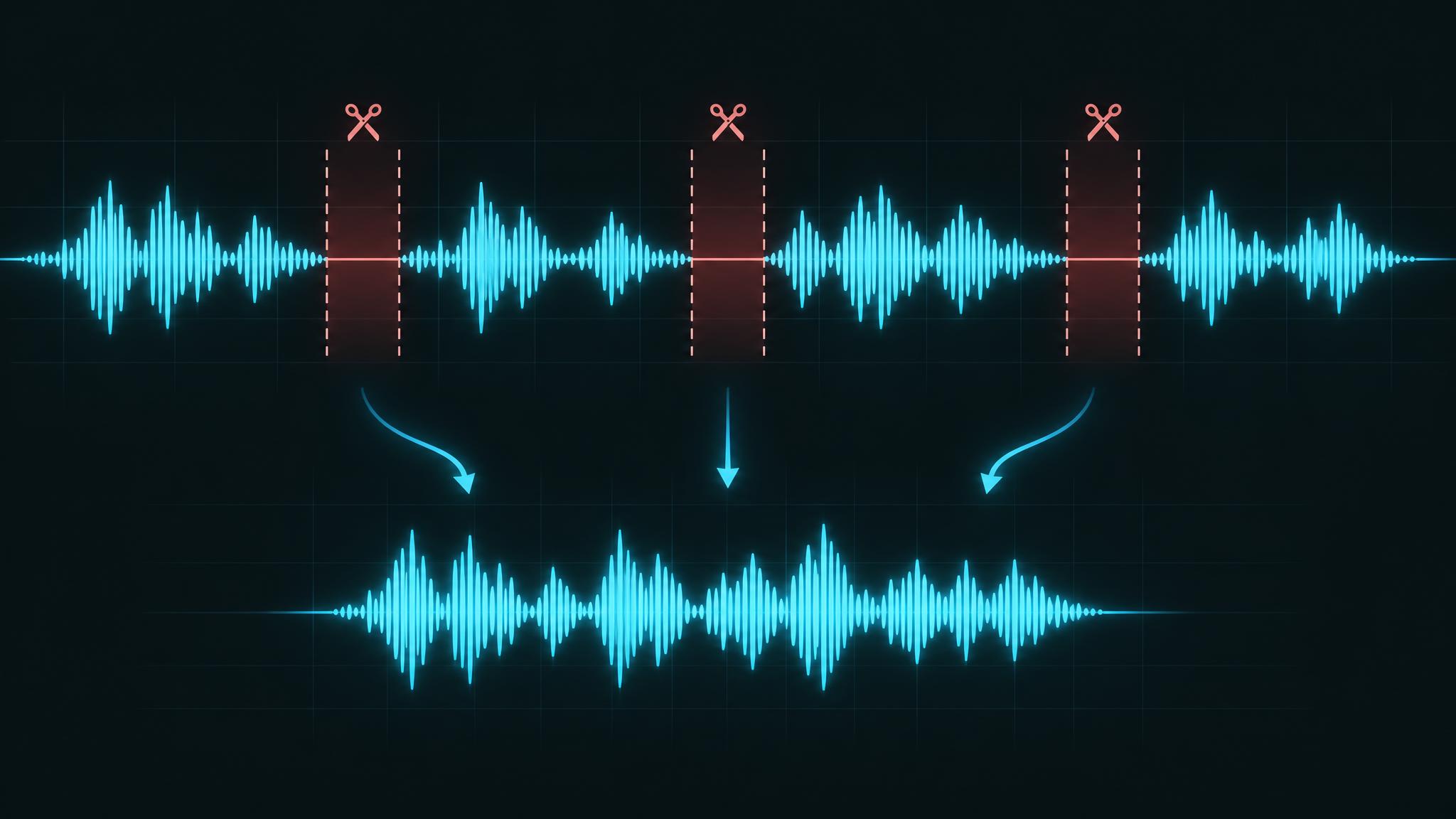
To remove silence from a video automatically, upload it to a tool that detects and cuts pauses. A volume-based silence remover cuts wherever the audio is quiet. An AI tool such as Pixel+ AI Auto Cut works from a word-by-word transcript, so it shortens pauses and also removes retakes, false starts and filler words in the same pass.
Why does dead air hurt your video?
Silence is fine in conversation. On screen it reads as hesitation. When you talk to the camera, every second of thinking, every breath before a restart and every pause while you look at your notes adds up, and viewers feel it.
- Short-form video: the first seconds decide whether people keep watching. A slow open is a swipe.
- Tutorials and screen recordings: pauses while you click around stretch a five minute lesson into eight.
- Talks and webinars: long gaps make a replay feel heavier than the live session did.
Cutting dead air is not about rushing. It is about removing time that carries no information, so the parts that do carry it land harder.
How do you remove silence by hand in a timeline editor?
Every video editor with a timeline can do it. The method is the same everywhere:
- Import the clip and look at the audio waveform. Flat sections are silence.
- Place the playhead at the start and end of each pause and split the clip.
- Delete the gap and close it up so the next sentence follows directly.
- Play it back, because a cut placed a frame too early clips the first word.
- Repeat for every pause, then add short audio fades where a cut clicks.
It gives you full control, and for a two minute clip it is fine. For a ten minute take with dozens of pauses and a few restarts it easily costs an hour, and you have to listen to every second to find the retakes.
What does a silence remover do, and where does it stop?
A silence remover automates the waveform method. You set a loudness threshold and a minimum pause length, and the tool cuts every section quieter than that. It is fast and works in any language because it never needs to understand the words.
The limit is that it only hears volume. A retake has sound in it, so it stays. If you said "So today I want to... wait, let me start again. Today I'll show you...", a silence remover tightens the gaps but keeps both versions of the sentence. Some other trade-offs:
- Retakes and false starts stay in, so you still hunt for them by hand.
- Filler words stay in, because "um" is not silence.
- Thresholds need tuning. Too strict and soft words get clipped; too loose and room noise counts as speech.
- Background music hides pauses, because the audio never gets quiet enough.
For a clean single take, a silence remover is often enough. For a raw take with mistakes in it, you need a tool that knows what was said.
How do you remove silence automatically with Pixel+?
Pixel+ AI Auto Cut transcribes the speech with word timings, decides which take of each sentence to keep, and removes long pauses, retakes, false starts, filler words, coughs and off-script moments together. You review the decisions as text instead of on a waveform.
- Open AI Auto Cut in your browser on a computer or phone and sign in.
- Upload your raw take: an MP4, MOV or WebM file up to 15 minutes and 2 GB. Only the audio is sent for analysis; the video stays on your device.
- Review the cut as text. Struck-through words are cut. Tap any word to keep or remove it.
- Choose the pacing (Natural, Tight or Fast) and play the preview.
- Export the MP4. Your browser renders an H.264 + AAC MP4 with no watermark.
The analysis costs 1 token per video, whatever its length up to 15 minutes. That is about $0.59 to $0.80 with web token packs, and no subscription is needed. Changing words, switching pacing and exporting again are free. If the analysis fails or no speech is found, the token is refunded.
Natural, Tight or Fast: which pacing should you choose?
Pacing decides how much pause stays between sentences after the cut. You can switch at any time without paying again, so try more than one.
- Natural leaves a relaxed pause. Good for tutorials, interviews and anything where the viewer needs a moment to follow.
- Tight leaves a short pause. A solid default for YouTube talking-head videos.
- Fast leaves almost none. Built for Reels, TikTok and Shorts, where every gap costs viewers.
If one specific pause should stay, for a joke or a dramatic beat, tap the words around it to keep that part.
Will the cuts sound abrupt?
Hard cuts in audio often produce a small click, because the waveform jumps from one point to another. Pixel+ adds a very short audio fade at every cut, a few milliseconds long, so the joins are not heard. Natural pacing also leaves a small breath between sentences, which keeps the speech from sounding stitched together.
Visually the cuts are jump cuts, as with any silence remover. On a talking-head shot that is the expected look for online video.
How do you get the best result?
- Keep recording through mistakes. Say the line again; the AI keeps the better take.
- Pause for a second before a retake. A clear break makes takes easier to tell apart.
- Record clean sound. A clip-on or phone mic close to your mouth gives the most accurate transcript.
- Skip loud background music while recording. Add music after the cut.
For more detail on the silence side, see remove silence from video. If ums are your bigger problem, the filler word remover page covers that case.
FAQ
Is there a way to remove silence from a video automatically?
Yes. A silence remover cuts quiet sections by volume. An AI tool like Pixel+ AI Auto Cut cuts by words, so it also removes retakes and filler words in the same pass.
Does Pixel+ upload my whole video?
No. Only the audio is uploaded for analysis. Cutting, previewing and exporting the MP4 happen in your browser.
How long can the video be?
Up to 15 minutes and 2 GB, as MP4, MOV or WebM.
Does it work on a phone?
Yes, in recent Chrome, Edge or Safari. On phones the export is capped at 1080p to stay within the device's memory.
Is Pixel+ a full video editor?
No. AI Auto Cut does one job: it turns a raw talking take into a clean cut. Add captions, music or graphics in your usual editor afterwards. Read more on the AI Auto Cut page.
Do it automatically
Let Pixel+ cut it for you
Upload a talking video and Pixel+ cuts the dead air between sentences. Unlike a simple silence remover it also understands what you said, so retakes and false starts go too. Pick how tight the pacing should be and export an MP4.
Remove silence from video: Open the tool