Choose and securely upload the required 2 photos.
All AI templates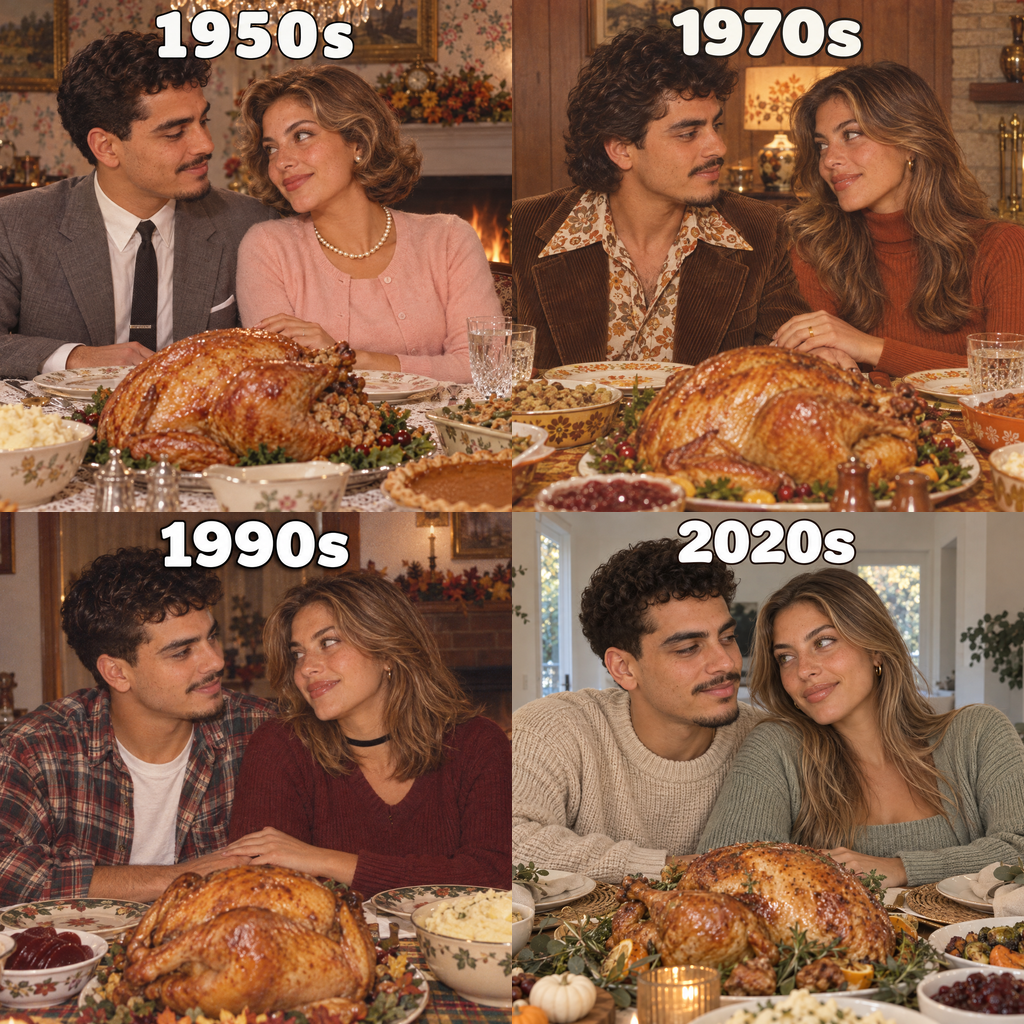
1 2 3
Pixel+ AI Template
Thanksgiving Through the Decades Video AI Template
Transform your photos into a creative, share-ready video with the Thanksgiving Through the Decades Video AI template. Upload your images and generate in Pixel+ AI Studio without complicated editing controls.
Turn two photos into a romantic Thanksgiving journey through the 1950s to the 2020s. Your couple appears at the holiday table in era-accurate outfits, hairstyles, and dining rooms, sharing handholds, loving glances, and a cozy finale selfie.
About 3 min–10 min
Create with this template in the app →Pixel+ AI Studio
How to use the Thanksgiving Through the Decades Video AI template
Create your own AI content in three simple steps.
Complete the template-specific fields and start the generation.
Preview and download your finished AI video when processing is complete.
Why use Pixel+ AI Templates?
- Curated and reviewed creative workflows
- Dynamic image and text inputs
- Token cost shown before generation
- Fast browser-based results with simple downloads
What you need for this template
- Person1Required · image
- Person2Required · image
What can you create with Thanksgiving Through the Decades Video?
Scroll-stopping video content for social media
Personalized results to share with friends
Creative AI experiments inspired by trending formats
Frequently asked questions
Is the Thanksgiving Through the Decades Video AI template free?
The current token cost is displayed in Pixel+ AI Studio before generation begins. Your account needs enough tokens to start.
Which image formats can I upload?
You can upload JPEG, PNG, WebP, HEIC, and HEIF images. Clear, well-lit photos usually produce the strongest results.
How long does generation take?
Processing time varies by template and demand. You can follow the live job status in Pixel+ AI Studio.
Can I download the result?
Yes. Once generation finishes, you can preview and download the completed AI video directly from Pixel+ AI Studio.
Create your own Thanksgiving Through the Decades Video content
Upload your photos, complete the template fields, and create a personalized result in Pixel+ AI Studio.
Create with this template in the app →Related guides
All blog posts How to Make the Raindance AI Couple Video TrendThe Raindance trend turns two portraits into a golden-hour love story set to Dave and Tems. Here is which photos to pick, how the template works step by step, what it costs and how to fix a result that looks off.Read guide
 Storm Dance AI Video: How to Make the Crowd TrendThe Pixel+ Storm Dance Clip template puts you in the middle of a crowd of identical dancers. Which two photos it needs, the steps, the 5-token cost, the 11 to 12 minute wait and how to fix a weak result.Read guide
 Viral Stage Dance AI Video: Dance for a CrowdThe Viral Stage Dance template in Pixel+ puts you on a stage, dancing the trending moves in front of a packed audience. It needs one selfie and 7 tokens, and gives you a 13-second vertical video with music. What photo to use, the steps and how to fix a weak result.Read guide
 Wedding Hall Dance AI Video From One PhotoThe Dancing in the Wedding Hall template in Pixel+ turns one photo into a dance video in the middle of a packed wedding reception, with guests watching from the edge of the floor. It costs 7 tokens and gives a 10-second clip with sound. Which photo works, the steps and how to fix a weak result.Read guide
 Scorpio Birthday AI Video: Make Yours From a PhotoTwo Pixel+ templates turn one photo into a 10-second Scorpio birthday video: a golden scorpion ride in the desert or a starlit scorpion on a red carpet. Which one to pick, what photo works, the steps and the cost.Read guide
 Sagittarius Birthday AI Video From One PhotoThe Sagittarius Fire Party template in Pixel+ turns one photo into a 10-second birthday video: you ride in on a white horse, light a giant ♐ with a flaming arrow and blow out the candles. What the clip shows, which photo works, the steps and the cost.Read guide